

RAG Conversation
FREE 1440 requests/day
From: €0.0019 + VAT
FREE requests
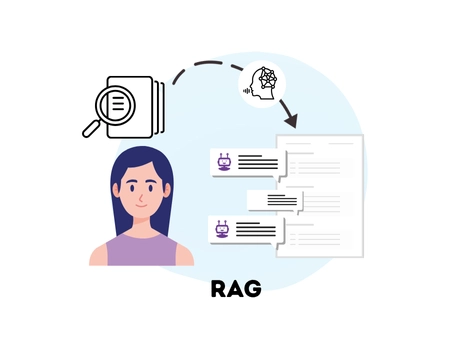
Query your documents and resume previous conversations with contextual responses in natural language, in real time, thanks to RAG technology.

RAG Conversation allows you to search for information within your documents based on a query, maintaining the conversation memory and taking into account the historical context, in order to provide always relevant and contextualized answers. The service combines semantic search and natural language output generation, returning responses within a dialogue that can be resumed using the session ID, ensuring continuity and coherence across interactions. All this is done securely, without the risk of sensitive data leaks.
The RAG-as-a-Service technology by Openapi therefore allows companies to query their proprietary data and obtain reliable, contextualized answers. The service reduces the risk of "hallucinations" typical of Large Language Models (LLMs), and provides answers that are consistent and relevant to the organization's specific knowledge.
With RAG-as-a-Service, integrating RAG functionalities into applications is simple and scalable, without the need to manage complex data systems. Your content is automatically indexed, allowing the model to access up-to-date and relevant data in real time. In this way, Openapi offers the combination of artificial intelligence and contextual search, providing accurate answers based solely on your company knowledge.
Openapi also offers two other RAG services for document search: Search, which returns one or more text extracts, and Conversation, which provides single natural language answers not embedded in a conversation. All three services are valid globally.
To obtain consistent and relevant results with RAG Conversation, three main steps must be followed:
- Create a new RAG
- Upload a document
- Start the indexing process
Thanks to indexing, it is possible to quickly retrieve the most relevant information in response to a query. Every time the RAG is modified (document uploaded or removed), it is essential to restart indexing to ensure updated and accurate responses.
Create a New RAG
POST /ragThe first step is to create an empty RAG via the POST /rag endpoint, where documents can be added later.
REQUEST EXAMPLE
The request should specify:
- name to assign to the RAG
- optional OCR activation (Optical Character Recognition)
- optional time interval for automatic indexing start
{
  "name": "RAGTest",
  "options": {
    "ocr": false,
    "autoIndexingIntervalHours": 0
  },
  "callback": {
    "method": "POST",
    "field": "string",
    "url": "https://www.mysite.it/callback.php",
    "data": {}
  }
}
RESPONSE EXAMPLE
The response contains RAG details (e.g., ID and name, state, options, settings such as OCR, total and indexed documents, creation and update dates, last indexing date).
{
  "data": {
    "id": "68947e1e0dab7e743108abfb",
    "name": "RAGTest",
    "state": "ready",
    "options": {
      "ocr": false,
      "autoIndexingIntervalHours": 0
    },
    "totalDocuments": 0,
    "totalIndexedDocuments": 0,
    "sizeMegaByte": 0,
    "createdAt": "2025-09-04T10:45:42.036Z",
    "updatedAt": "2025-09-04T10:45:42.036Z",
    "indexedAt": "2025-09-04T10:45:42.036Z",
    "indexingRunAt": "2025-09-04T10:45:42.036Z",
    "callback": {
      "method": "POST",
      "field": "string",
      "url": "https://www.mysite.it/callback.php",
      "data": {}
    }
  },
  "success": true,
  "message": "",
  "error": null
}
You can retrieve the list of all RAGs or the details of a single RAG at any time using the GET /rag and GET /rag/{id} endpoints.
Upload a Document
POST /rag/{id}/documentsOnce the RAG is created, you can proceed with adding a document to it through the POST /rag/{id}/documents endpoint.
REQUEST EXAMPLE
The request must specify the ID of the RAG where the document will be uploaded.
The payload must include:
- document name (fileName)
- document content (fileContent): a base64-encoded string in JSON format
- metadata (string, document date, geographic coordinates, boolean value), i.e., additional customizable information associated with the document, useful when using RAG Conversation
{
  "fileName": "documentTest",
  "fileContent": "string",
  "metadata": {
    "custom_key_str": "string",
    "custom_key_date": "2025-09-04T10:51:06.259Z",
    "custom_key_int": 0,
    "custom_key_geo_latitude": 0,
    "custom_key_geo_longitude": 0,
    "custom_key_bool": true
  }
}
RESPONSE EXAMPLE
The response provides document details including ID, name, state, metadata, size, file type, creation and update dates.
{
  "data": [
    {
      "id": "string",
      "name": "string",
      "state": "string",
      "metadata": {
        "custom_key_str": "string",
        "custom_key_date": "2025-09-04T10:51:06.260Z",
        "custom_key_int": 0,
        "custom_key_geo_latitude": 0,
        "custom_key_geo_longitude": 0,
        "custom_key_bool": true
      },
      "sizeMegaByte": 0,
      "mimeType": "string",
      "createdAt": "2025-09-04T10:51:06.260Z",
      "updatedAt": "2025-09-04T10:51:06.260Z",
      "paymentDueDate": "2025-09-04T10:51:06.260Z"
    }
  ],
  "success": true,
  "message": "",
  "error": null
}
You can retrieve the list of documents within a RAG at any time via the GET /rag/{id}/documents endpoint.
Start Indexing Process
PATCH /rag/{id}As mentioned above, to obtain contextual and accurate answers, it is essential to start indexing every time a RAG is modified (i.e., a document is uploaded or deleted). If this step is not performed, the system will continue to rely only on previous data and not on the updated information.
Indexing can be started manually via PATCH/rag/{id}; alternatively, automatic indexing can be set up, which runs every X hours (as defined by the user). The latter is configured when creating the RAG, via the POST /rag endpoint. Indexing, whether automatic or manual, does not incur additional costs.
REQUEST EXAMPLE
The request must specify the ID of the RAG for which the manual indexing process is being started.
The request payload must include the startIndexing parameter set to true to start the indexing process:
"startIndexing": trueRESPONSE EXAMPLE
The response returns details about the RAG name, state (e.g., ready, indexing), settings (e.g., OCR yes/no, automatic indexing yes/no), number of documents present and indexed, current RAG size in MB, and creation and update dates.
{
  "data": {
    "id": "68947e1e0dab7e743108abfb",
    "name": "RAGTest",
    "state": "indexing",
    "options": {
      "ocr": false,
      "autoIndexingIntervalHours": 0
    },
    "totalDocuments": 0,
    "totalIndexedDocuments": 0,
    "sizeMegaByte": 0,
    "createdAt": "2025-09-04T10:55:37.306Z",
    "updatedAt": "2025-09-04T10:55:37.306Z",
    "callback": {
      "method": "POST",
      "field": "string",
      "url": "https://www.mysite.it/callback.php",
      "data": {}
    }
  },
  "success": true,
  "message": "",
  "error": null
}
RAG CONVERSATION
POST /rag/conversationAfter completing the three steps mentioned above, you can proceed with the actual search through the POST /rag/conversation endpoint.
As stated at the beginning, RAG Conversation allows—via API and in real time—to find the most relevant document or information within your files, based on a query and taking previous conversations into account. All this is done securely, without the risk of sensitive data leaks.
REQUEST EXAMPLE
The request should specify:
- ID of the RAG in which to perform the search
- query, i.e., the word or phrase to search for specific documents
- maximum length (max_len), i.e., the maximum number of results to return, ordered by relevance
- metadata filters (metadata_filter), i.e., any filters previously set when uploading the document (string, document date, geographic coordinates, boolean value)
- settings, i.e., additional search parameters, such as prompt style
- session, i.e., the previous conversation from which the system can resume context to perform the search
{
  "ragId": "688b2ab3bccc6a603202f87c",
  "query": "what services are available?",
  "max_len": 5,
  "metadata_filter": "(custom_key_int<175 AND custom_key_bool = \"true\") OR (custom_key_int<125 AND custom_key_bool = \"false\")",
  "settings": {
    "prompt_style": "basic"
  },
  "session": "string"
}
RESPONSE EXAMPLE
RAG Conversation returns information about the most relevant documents for your search, including text extracts, which help quickly locate the desired data.
The response payload specifically provides:
- natural language answer
- one or more relevant text extracts found in the document (snippets)
- document ID
- RAG ID from which the document originates
- document name
- document state
- metadata
- new session ID, which can be used later if you want to resume the conversation
{
  "data": [
    {
      "answer": "string",
      "search_result": [
        {
          "index": 0,
          "snippets": [
            "string"
          ],
          "id": "689c70313f292734010a7dda",
          "ragId": "689c6ed7b283ac0aa40c1555",
          "name": "documentTest",
          "state": "indexing",
          "metadata": {
            "custom_key_str": "string",
            "custom_key_date": "2025-09-25T10:34:00.005Z",
            "custom_key_int": 0,
            "custom_key_geo_latitude": 0,
            "custom_key_geo_longitude": 0,
            "custom_key_bool": true
          }
        }
      ],
      "session": "projects/702697495064/locations/global/collections/default_collection/RAG/689c6ed7b283ac0aa40c1555/sessions/14709352892326605"
    }
  ],
  "success": true,
  "message": "",
  "error": null
}
With RAG Conversation, you can start continuous conversations with the system and quickly query your documents, ensuring responses are as accurate as possible and based solely on the data actually uploaded and indexed. All information remains fully secure.
The service is particularly useful for companies managing large amounts of documents (contracts, reports, manuals), e.g.:
- law firms, for fast document checks and analysis
- CRM and knowledge base systems that need fast and reliable internal searches
- companies in finance, insurance, and healthcare sectors, where data accuracy and security are crucial for reliable operations
- e-commerce and marketplaces wanting up-to-date operational information to optimize processes and decisions
In general, RAG Conversation is perfect for any organization or professional needing fast access to accurate information within their documents, optimizing time and search reliability.
Do you need help?
Haven't found the answer you're looking for?
Fill in all the details, we will get back to you as soon as possible!
RAG Conversation is a service that allows you to search for information in your documents based on a query, maintaining the memory of the dialogue and taking into account the context of previous interactions. This ensures that responses are always relevant and contextualised.
The system combines semantic search and natural language output generation, returning answers within a conversation that can be resumed via the session ID, ensuring continuity and consistency over time.
Everything is done securely, with no risk of exposing sensitive data.

Openapi’s RAG-as-a-Service technology allows companies to query their proprietary data and obtain reliable, relevant, and contextualized answers, while reducing the risk of “hallucinations” typical of Large Language Models (LLMs).
Integration is simple and scalable, with no need to manage complex infrastructure: documents are automatically indexed, allowing the model to access up-to-date and relevant information in real time.
In this way, Openapi combines the power of artificial intelligence with the precision of enterprise data search, ensuring answers are always grounded in the organization’s actual knowledge.

If a document is not indexed, the updated information it contains will not be available for searches.
In practice, until reindexing is performed, RAG Search will continue to provide answers based only on previously indexed data, ignoring any recent changes or additions.
To ensure accurate and complete results, it is therefore essential to start the indexing process whenever a modification is made to the RAG (such as uploading or deleting a document).
Indexing is free of charge and can be performed manually or set to run automatically at regular intervals.

Absolutely. All data remains confined within the proprietary environment and is never used to train external models.
Processing takes place securely, with no risk of leakage or exposure of sensitive information.

The system supports the most common file formats: PNG (.png), PDF (.pdf), plain text (.txt), Word documents (.doc/.docx), Excel spreadsheets (.xls/.xlsx), and PowerPoint presentations (.ppt/.pptx).

Yes, all three RAG services (Search, Search with Answer, and Conversation) are available worldwide.

All three services are based on the same RAG technology and allow you to search through your documents with relevant and contextual answers to your query, but they return different types of output:
- RAG Search provides one or more relevant text excerpts found in the uploaded and indexed documents
- RAG Search with Answer generates a single natural language answer.
- RAG Conversation allows you to have conversations that maintain the memory of the dialogue and take into account the historical context when responding. The output is generated in natural language and returned within a dialogue that can be resumed via the session ID, ensuring continuity between interactions.
All services operate securely, with no risk of sensitive data leakage.

RAG services are ideal for companies that manage large volumes of documents (contracts, reports, manuals) and for any organization or professional who needs quick access to precise, up-to-date information.
For example, they are particularly suited for:
- Law firms, for fast document checks and analyses
- CRM and knowledge base systems that require quick and reliable internal searches
- Companies in finance, insurance, and healthcare, where accuracy and data security are essential
- E-commerce and marketplaces that need constantly updated operational information to optimize processes and decision-making
In general, RAG services support any organization seeking to improve efficiency, speed, and reliability in managing and searching company information.

Responses are provided in real time.

The cost varies depending on the service requested.
For document uploads (endpoint POST /rag/{id}/documents), the cost is calculated based on file size and is €0.0065/MB. If you use the OCR service, an additional cost of €0.00190 per page applies.
For the RAG Conversation service, the cost starts at €0.0105 for subscription requests and €0.0135 for single requests.


Carbon free energy for Our Cloud  Low CO2





© 2024 Openapi SpA, a single-member company, under the direction and control of Open Holding Srl.
Viale Filippo Tommaso Marinetti 221 - 00143 Rome - Business Register: 1378273, Share Capital: €50,000.00, VAT Number: IT12485671007, Recipient Code: 'USAL8PV' - Certified Email: 
Openapi is certified in: Quality System **UNI EN ISO 9001:2015** - Data Quality **ISO 25012:2014** - Security Management **ISO/IEC 27001:2022** - Geneder Equality According UNI PdR 125:2022
All prices are net of any VAT, stamp duty, registration fees, or other taxes that may be due. All logos listed on the portal are copyrighted and owned by their respective owners.