

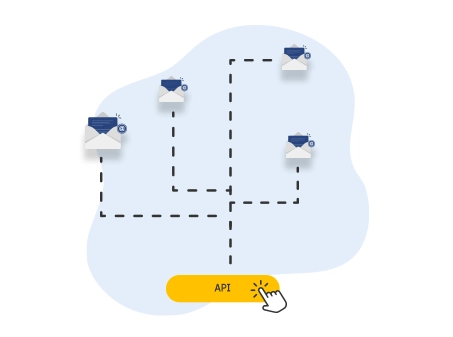
Certified Message Massive Delivery API Service
From: €0.02 + VAT
Send large quantities of Certified Electronic Mail messages to your contacts via API, in full compliance with regulations.

PEC Massiva API is the ideal solution for those who need to manage a high volume of legally valid communications and want to integrate it directly into their own platform, management software or CRM via API.
No software activation is required: the API is all you need to send PEC messages in bulk, securely and in compliance with AGID regulations,
It is often used together with the PEC Company API service, which allows you to retrieve the PEC addresses of any Italian company in real time.
The service includes an annual fee of €99 and a fee of €0.05 per individual message. With subscription plans, however, it is possible to send up to 600,000 certified messages per year (extendable upon request), starting from €0.02.
The default PEC Massiva extension is @pecmassiva.com, but it is possible to customize the domain associated with the mailbox by calling the dedicated endpoint for domain management, for example by using your company's own domain.
PEC Address Verification
To use PEC Massiva, you must first verify and activate the dedicated PEC Massiva mailbox through the PEC API. As mentioned above, you can activate a mailbox with the @pecmassiva.com domain or certify your own second-level domain (example.com) or third-level domain (pec.example.com)
To verify the availability of the desired PEC address, you need to make a request to the endpoint GET to the endpoint https//pec.openapi.it/verifica_pec/{pec}.
REQUEST EXAMPLE
GET/verifica_pec/{pec}
This is an example request to verify the availability of the PEC address [email protected]
GET https://pec.openapi.it/verifica_pec/[email protected]RESPONSE EXAMPLE
GET/verifica_pec/{pec}
The response indicates whether the address is available (avalaible:true) or not:
{
    "data": {
      "available": true
  },
    "success": true,
    "message": "",
    "error": null
  }
PEC Massiva Registration
REQUEST EXAMPLE
POST/pec
Once the PEC availability has been confirmed, you can proceed with registration through the endpoint POST/pec . The request body must include the following information:
- mailbox name
- customer type (e.g. PV for private individual)
- applicant's personal details (First Name and Last Name or Company Name, applicant's tax code or VAT number, date and place of birth, residential or registered office address)
This is an example Payload containing all the data to be submitted:
{
    "casella_pec": "[email protected]",
    "tipo_casella": "PECMASSIVA",
    "tipo_cliente": "PV",
    "sottotipo_cliente": "",
    "sottotipo_cliente_altro": "",
    "nome_richiedente": "mario",
    "cognome_richiedente": "rossi",
    "email": "[email protected]",
    "telefono": "0548798569",
    "codice_fiscale_richiedente": "RSSXXXXXXXX56E",
    "data_nascita_richiedente": "11/04/1982",
    "sesso_richiedente": "M",
    "nazione_nascita_richiedente": "IT",
    "provincia_nascita_richiedente": "RM",
    "denominazione_titolare": "",
    "cf_piva_titolare": "",
    "indirizzo_titolare": "via verdi 20",
    "comune_titolare": "roma",
    "cap_titolare": "00042",
    "nazione_titolare": "IT",
    "provincia_titolare": "rm",
    "callback": {
      "url": "https://your_domain.it/your_callback.php",
      "field": "data"
  }
}
When submitting the request, it is also possible to enable automatic renewal by adding the optional "autorinnovo" parameter to the body with the value 'true' (currently the default is 'false').
RESPONSE EXAMPLE
POST/pec
The response contains a series of information, including a summary of the PEC characteristics, its activation status and the ID that will be essential for the next activation steps, for checking its status and, in the future, for renewal.
{
  "data": {
    "casella_pec": "[email protected]",
    "tipo_casella": "PECMASSIVA",
    "tipo_cliente": "PV",
    "sottotipo_cliente": "",
    "sottotipo_cliente_altro": "",
    "nome_richiedente": "mario",
    "cognome_richiedente": "rossi",
    "email": "[email protected]",
    "telefono": "0548798569",
    "codice_fiscale_richiedente": "RSSXXXXXXXX56E",
    "data_nascita_richiedente": "11/04/1982",
    "sesso_richiedente": "M",
    "nazione_nascita_richiedente": "IT",
    "provincia_nascita_richiedente": "RM",
    "denominazione_titolare": "",
    "cf_piva_titolare": "",
    "indirizzo_titolare": "via verdi 20",
    "comune_titolare": "roma",
    "cap_titolare": "00042",
    "nazione_titolare": "IT",
    "provincia_titolare": "rm",
    "callback": {
      "url": "https://your_domain.it/your_callback.php",
      "field": "data",
      "method": "POST",
      "data": {}
  },
    "dominio": "postamassiva.com",
    "owner": "[email protected]",
    "timestamp": {
      "registrazione": 1614865504,
      "ultima_modifica": 1614868403,
  },
    "cellulare": "",
    "comune_nascita_richiedente": "",
    "cod_attivazione": "10173956",
    "uid": "MA177987",
    "conservazione": false,
    "data_scadenza": "",
    "descrizione": "[email protected]",
    "sms": false,
    "spazio_conservazione": 0,
    "spazio_disco": 0,
    "spazio_storico": 0,
    "stato": "registrata",
    "storico": false,
    "id": "6040e4613a716838dc4eee0e",
    "autorinnovo": false
  },
  "success": true,
  "message": "",
  "error": null
}
PEC Massiva Mailbox Activation
REQUEST EXAMPLE
PATCH/pec/{id}/attivazione
To complete the activation, you need to download the required forms (GET /pec/{id}/modulo_attivazione) and send the completed and signed form together with the applicant's identity document through the endpoint PATCH/pec/{id}/attivazione. The ID to be used is the one obtained in the previous response.
RESPONSE EXAMPLE
PATCH/pec/{id}/attivazione
The response is as follows:
{
  "data": {
    "casella_pec": "[email protected]",
    "tipo_casella": "PECMASSIVA",
    "tipo_cliente": "PV",
    "sottotipo_cliente": "",
    "sottotipo_cliente_altro": "",
    "nome_richiedente": "mario",
    "cognome_richiedente": "rossi",
    "email": "[email protected]",
    "telefono": "0548798569",
    "codice_fiscale_richiedente": "RSSXXXXXXXX56E",
    "data_nascita_richiedente": "11/04/1982",
    "sesso_richiedente": "M",
    "nazione_nascita_richiedente": "IT",
    "provincia_nascita_richiedente": "RM",
    "denominazione_titolare": "",
    "cf_piva_titolare": "",
    "indirizzo_titolare": "via verdi 20",
    "comune_titolare": "roma",
    "cap_titolare": "00042",
    "nazione_titolare": "IT",
    "provincia_titolare": "rm",
    "callback": {
      "url": "https://your_domain.it/your_callback.php",
      "field": "data",
      "method": "POST",
      "data": {}
  },
    "dominio": "postamassiva.com",
    "owner": "[email protected]",
    "timestamp": {
      "registrazione": 1614865504,
      "ultima_modifica": 1614868403,
  },
    "cellulare": "",
    "comune_nascita_richiedente": "",
    "cod_attivazione": "10173956",
    "uid": "MA177987",
    "conservazione": false,
    "data_scadenza": "",
    "descrizione": "[email protected]",
    "sms": false,
    "spazio_conservazione": 0,
    "spazio_disco": 1024,
    "spazio_storico": 1024,
    "stato": "in_evasione",
    "storico": false,
    "documenti_attivazione": [
      "6040e4613a716838dc4eee0e_0_attivazione.pdf",
      "6040e4613a716838dc4eee0e_1_attivazione.pdf"
  ],
    "id": "6040e4613a716838dc4eee0e",
    "autorinnovo": false
  },
  "success": true,
  "message": "",
  "error": null
}
PEC Massiva Activation Status Verification
REQUEST EXAMPLE
GET/pec/{id}
You can check the PEC activation status through the endpoint GET/pec/{id}. In the previous example, to check the mailbox you need to pass the ID 6040e4613a716838dc4eee0e, resulting in:
GET https://pec.openapi.it/pec/6040e4613a716838dc4eee0eRESPONSE EXAMPLE
GET/pec/{id}
This is an example of a response in which the mailbox has been successfully registered:
{
  "data": {
    "casella_pec": "[email protected]",
    "tipo_casella": "PECMASSIVA",
    "tipo_cliente": "PV",
    "sottotipo_cliente": "",
    "sottotipo_cliente_altro": "",
    "nome_richiedente": "mario",
    "cognome_richiedente": "rossi",
    "email": "[email protected]",
    "telefono": "0548798569",
    "codice_fiscale_richiedente": "RSSXXXXXXXX56E",
    "data_nascita_richiedente": "11/04/1982",
    "sesso_richiedente": "M",
    "nazione_nascita_richiedente": "IT",
    "provincia_nascita_richiedente": "RM",
    "denominazione_titolare": "",
    "cf_piva_titolare": "",
    "indirizzo_titolare": "via verdi 20",
    "comune_titolare": "roma",
    "cap_titolare": "00042",
    "nazione_titolare": "IT",
    "provincia_titolare": "rm",
    "callback": {
      "url": "https://your_domain.it/your_callback.php",
      "field": "data",
      "method": "POST",
      "data": {}
  },
    "dominio": "postamassiva.com",
    "owner": "[email protected]",
    "timestamp": {
      "registrazione": 1614865504,
      "ultima_modifica": 1614868403,
      "evasione": 1614865504,
      "scadenza": 1614868403,
      "revoca": ,
  },
    "cellulare": "",
    "comune_nascita_richiedente": "",
    "cod_attivazione": "10173956",
    "uid": "MA177987",
    "conservazione": false,
    "data_scadenza": "",
    "descrizione": "[email protected]",
    "sms": false,
    "spazio_conservazione": 0,
    "spazio_disco": 1024,
    "spazio_storico": 1024,
    "stato": "registrata",
    "storico": true,
    "documenti_attivazione": [
    "6040e4613a716838dc4eee0e_0_attivazione.pdf",
    "6040e4613a716838dc4eee0e_1_attivazione.pdf"
  ],
    "data_attivazione": "04/03/2021",
    "id": "6040e4613a716838dc4eee0e",
    "autorinnovo": false
  },
  "success": true,
  "message": "",
  "error": null
}
PLEASE NOTE: Currently, verification is only possible for customers who activated PEC Massiva via API and not through the www.pecmassiva.com website.
PEC Massiva registration and activation are performed through the PEC API (https://pec.openapi.it); mailbox management, such as sending messages and checking sent messages, is instead handled by another dedicated API: API Posta Massiva (https://ws.pecmassiva.com).
Once the PEC Massiva mailbox has been activated, you can start sending messages either as single messages or through threads.
Sending PEC Messages
The endpoint POST/send allows you to send a certified message to one or more recipients, with the option to add attachments.
REQUEST EXAMPLE
To send a PEC message, the required data must be included in the payload: recipient email address, subject, body, attachments, username and password
POST/send
{
  "sender": "[email protected]",
  "recipient": "[email protected]",
  "subject": "Invio di prova pec massiva",
  "body": "Salve, questa rappresenta una prova di invio, che prevede un corpo in html",
  "attachments": [
    {
      "name": "allegato1.png",
      "file": "data:image/png;base64,iVBORw0KGgoAAAANSUhEUgAAADIAAAAyCAYAAAAeP4ixAAAAGX="
    }
  ],
  "username": "your_pec_username",
  "password": "your_pec_password"
}
In case of multiple recipients, the payload must include an array containing the recipients' addresses.
RESPONSE EXAMPLE
POST/send
The response to the sending request is an identification code for the delivery, which can be used to retrieve information about the receipt confirmation and delivery emails.
{
  "success": true,
  "sent": 1,
  "message": "",
  "message_id": "2020082610003492"
}
Thread Creation
POST/threads
In addition to sending a single PEC message, the PEC Massiva API also allows you to create a thread: a tracked conversation in which the PEC message is associated with replies and subsequent messages, which can then be viewed together. To create a thread and send the first PEC message, the endpoint to use is POST/threads
REQUEST EXAMPLE
POST/threads
The request payload must contain the recipient's email address, subject, message body, any attachment, and username and password:
{
  "recipient": "[email protected]",
  "subject": "Invio di prova pec massiva",
  "body": "Salve, questa rappresenta una prova di threads, che prevede un corpo in html",
  "attachments": [
    {
      "name": "allegato1.png",
      "file": "data:image/png;base64,iVBORw0KGgoAAAANSUhEUgAAADIAAAAyCAYAAAAeP4ixAAAAGX="
    }
  ],
  "username": "your_pec_username",
  "password": "your_pec_password"
}
RESPONSE EXAMPLE
POST/threads
The response to thread creation includes, among other things, the thread ID, message ID and sending status. The thread ID is useful for retrieving a specific conversation and all the messages associated with it (GET /threads/{id}) or for sending a new message in a previously started discussion. The message ID, on the other hand, allows you to retrieve a specific message and any attachment associated with it (GET /threads/{id}/{msgId}).
{
  "msgId": "d6650f1a2b3c4d5e6f7081920",
  "threadId": "6650f1a2b3c4d5e6f7081920",
  "createdAt": "26/08/2026 10:00:35",
  "sentAt": "26/08/2026 10:00:35",
  "updateAt": "26/08/2026 10:00:35",
  "status": "sent",
  "subject": "Invio di prova pec massiva",
  "sender": "[email protected]",
  "recipients":  [
    "[email protected]",
  ],
  "body": "Salve, questa rappresenta una prova di threads, che prevede un corpo in html",
  "attachments"[],
  "callback"{}
},
  "success": true,
  "message": "Operation successful",
  "error": null
}
Unlike sending through a single message (/send), sending through a thread allows the message to be queued and processed the following day if the daily quota is exceeded.
CONTINUING A THREAD
To continue an existing conversation, you need to use the dedicated endpoint PATCH /threads/{id} using the ID obtained in the response to thread creation.
REQUEST EXAMPLE
PATCH/threads/{id}
The payload must contain the content of the new message and the username and password of the PEC mailbox
{
 "body": "Salve, questa rappresenta una prova di invio, che prevede un corpo in html",
 "username": "your_pec_username",
 "password": "your_pec_password"
}
RESPONSE EXAMPLE
PATCH/threads/{id}
{
  "msgId": "d6650f1a2b3c4d5e6f7081920",
  "threadId": "6650f1a2b3c4d5e6f7081920",
  "createdAt": "26/08/2026 10:00:35",
  "sentAt": "26/08/2026 10:00:35",
  "updateAt": "26/08/2026 10:00:35",
  "status": "sent",
  "subject": "Invio di prova pec massiva",
  "sender": "[email protected]",
  "recipients":  [
    "[email protected]",
  ],
  "body": "Salve, questa rappresenta una prova di threads, che prevede un corpo in html",
  "attachments"[],
  "callback"{},
  "accepted": false,
  "acceptedAt": null,
  "deliveries": []
},
  "success": true,
  "message": "Operation successful",
  "error": null
}
Received Messages List
GET/inbox
Through the GET/inbox endpoint, you can retrieve the list of all received emails present in the inbox.
REQUEST EXAMPLE
The mailbox username and password must be passed in the header of the request. You can also specify pagination or perform a search using the "q" parameter.
{
 "data":[
   {
     "sender": "[email protected]",
     "recipient": "[email protected]",
     "date": "Wed, 26 Aug 2020 10:00:35 +0200",
     "object": "ACCETTAZIONE: Invio di prova pec massiva 2020082610003492",
     "id": 1
   },
   {
     "sender": "\"Per conto di: [email protected]\" ",
     "recipient": "[email protected]",
     "date": "Wed, 26 Aug 2020 10:00:35 +0200",
     "object": "POSTA CERTIFICATA: Invio di prova pec massiva 2020082610003492",
     "id": 2
   },
   {
     "sender": "[email protected]",
     "recipient": "[email protected]",
     "date": "Wed, 26 Aug 2020 10:00:36 +0200",
     "object": "CONSEGNA: Invio di prova pec massiva 2020082610003492",
     "id": 3
  },
 ],
 "success": true,
  "message": "",
  "total": 981,
  "page": 39,
  "n_of_pages": 39
}
Unread Received Messages List
GET/inbox/unread
The GET/inbox/unread endpoint allows you to retrieve the list of all received emails present in the inbox that have not been opened.
{
 "data":[
   {
     "sender": "[email protected]",
     "recipient": "[email protected]",
     "date": "Wed, 26 Aug 2020 10:00:35 +0200",
     "object": "ACCETTAZIONE: Invio di prova pec massiva 2020082610003492",
     "id": 1
   },
   {
     "sender": "\"Per conto di: [email protected]\" ",
     "recipient": "[email protected]",
     "date": "Wed, 26 Aug 2020 10:00:35 +0200",
     "object": "POSTA CERTIFICATA: Invio di prova pec massiva 2020082610003492",
     "id": 2
   },
   {
     "sender": "[email protected]",
     "recipient": "[email protected]",
     "date": "Wed, 26 Aug 2020 10:00:36 +0200",
     "object": "CONSEGNA: Invio di prova pec massiva 2020082610003492",
     "id": 3
  },
 ],
 "success": true,
  "message": "",
  "total": 981,
  "page": 39,
  "n_of_pages": 39
}
PEC Usage Verification
To check the PEC usage quota and the absolute or daily limit, you need to use the following endpoint GET/quota. The username and password of the PEC Massiva mailbox must be passed in the header.
RESPONSE EXAMPLE
GET/quota
The response indicates the usage and the total Inbox capacity (limit). The data is expressed in megabytes.
{
  "data": {
  "usage": 171012,
  "limit": 1048576,
  "dailyUsage":{
    "used": 120,
    "limit": 3500
    "remaining": 3380
  }
},
    "success": true,
    "message": "",
    "error": null
  }
To date, PEC Massiva services are used by dozens of public and private companies across completely different sectors (such as Energy, Debt Collection, Environmental Services, Marketing, Consortia, Payment Institutions, Tax and Procurement Offices, and Industries), which need to manage a large volume of legally valid and traceable communications (e.g. official documents and contracts).
Do you need help?
Haven't found the answer you're looking for?
Fill in all the details, we will get back to you as soon as possible!
Certified Message Massive Delivery service allows you to send - via API - legally valid REM messages (with any attachments), in a massive and secure manner.
It does not require the activation of any software and allows a large number of communications to be managed in accordance with AGID regulations, at a very competitive cost and with the possibility to request an annual subscription, in order to save on individual sendings.

Massive REM has the following dimensions:
- 1 GB Inbox space
- 1 GB Security archive

Yes, through the dedicated domain management endpoint, you can select and associate a custom certified domain with Mass PEC, for example your company's domain.

Yes, the Certified Message Massive Delivery API service allows you to attach files and documents before sending.

Yes, it has full legal validity (in compliance with AGID regulations) and holds the same legal weight as a registered letter with acknowledgment of receipt. This makes it an effective and secure tool for official communications, such as notifications, contracts, or formal business correspondence.
Messages sent through your Certified Email mailbox guarantee:
- Delivery certainty: Confirmation of the sending and receipt of the message is provided
- Content integrity: It ensures that the content has not been altered during transmission
- Timestamp validity: The date and time of when the message was sent and received are certified

Certified Message Massive Delivery API Service is designed for companies and organizations that need to manage a high volume of legally valid and traceable communications, such as official documents and contracts. API integration is an ideal solution in these cases, as the process is automatic, fast, and efficient. By eliminating manual intervention, the risk of errors is minimized.

The `POST /send` endpoint allows you to send a single message without creating a trackable conversation.
The `POST /threads` endpoint, on the other hand, allows you to create and manage a trackable conversation. Through the dedicated thread endpoints, you can access the entire conversation, including sent and received messages, while maintaining the communication history.
There is also a difference in how the daily sending limit is handled. If the limit has been reached:
- with `POST /threads` (and the related `POST` or `PATCH` operations), the message is queued and will be sent automatically when the daily limit is reset;
- with `POST /send`, the request instead returns an error, and the message is not queued.
IMPORTANT: The subscription purchased for sending messages via `POST /send` is also valid for messages sent via `POST /threads`: therefore, there is no need to activate a separate subscription.

Yes, by default the service allows a maximum of 3,500 messages per day. If you need a higher limit, feel free to contact us to evaluate an increase.

The service is delivered within 24 hours.


Carbon free energy for Our Cloud  Low CO2





© 2024 Openapi SpA, a single-member company, under the direction and control of Open Holding Srl.
Viale Filippo Tommaso Marinetti 221 - 00143 Rome - Business Register: 1378273, Share Capital: €50,000.00, VAT Number: IT12485671007, Recipient Code: 'USAL8PV' - Certified Email: 
Openapi is certified in: Quality System **UNI EN ISO 9001:2015** - Data Quality **ISO 25012:2014** - Security Management **ISO/IEC 27001:2022** - Gender Equality According UNI PdR 125:2022
All prices are net of any VAT, stamp duty, registration fees, or other taxes that may be due. All logos listed on the portal are copyrighted and owned by their respective owners.