

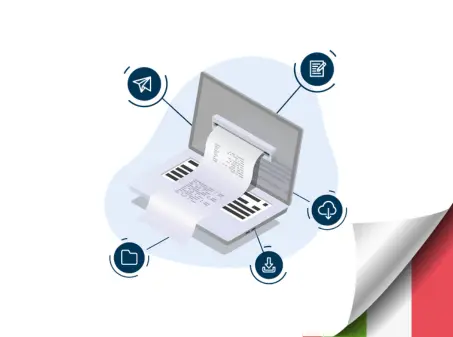
Electronic Invoicing - Italy
From: €0.022 + VAT
Manage issued and received invoices, with direct integration with SDI and the Italian Revenue Agency, and automatic digital signature via API.

API Invoice allows you to manage fiscal documents in an automated way, simplifying operational workflows and reducing manual interventions. The result is greater process efficiency and cost optimization.
With Openapi, you can manage the entire lifecycle of Italian fiscal documents through a single API: from company configuration to invoice submission, up to status monitoring via webhook. The platform integrates directly with SDI and the Italian Revenue Agency, ensuring fast integration, high security standards, and real-time performance, even with large volumes.
The Invoice API is not limited to sending invoices: it allows you to manage issued invoices, received invoices, and electronic receipts, with automatic digital signature, pre-validation of data, and full tracking of document status.
The solution is robust, scalable, and fully customizable for each VAT number. Through company configuration, you can choose which services to activate and how to manage each workflow:
- issued invoices (submission to SDI)
- received invoices (reception from SDI)
- automatic digital signature
- electronic receipts without a physical cash register
- import external invoices to maintain a unified history
- real-time notifications via webhook
All operations are performed asynchronously: after submission, you receive automatic updates on document status (such as DONE, RECEIVED or ERROR) directly in your management system, without the need for manual polling.
Company configuration and services
POST /IT-configurations
Company configuration is the first mandatory step to use Invoice. Through this endpoint you can register the company, activate the desired services (issued invoices, received invoices and electronic receipts) and configure webhooks to receive real-time notifications on document status.
During this phase you can also enable automatic digital signature, as well as provide the fiscal credentials required for active services. Once the configuration is completed, the company is ready to send invoices via Invoice, generate receipts via IT-receipts and receive supplier invoices via webhook.
To receive supplier invoices, it is necessary to register our Recipient Code on the Italian Revenue Agency website. Follow the step-by-step guide available in the documentation and enter the following code when requested: PIC7CPS
REQUEST EXAMPLE
To configure the company you need to send a request to POST /IT-configurations. In the following example we enabled digital receipts (receipts), invoice sending (customer invoice) and invoice reception (supplier invoice).
Additionally, a callback has been configured for each specific event.
{
  "fiscal_id": "YourCompanyFiscal_id",
  "name": "nameCompany",
  "email": "[email protected]",
  "receipts": true,
  "customer_invoice": true,
  "supplier_invoice": true,
  "receipts_authentication": {
    "taxCode": "FHHWMF96L52D111B",
    "password": "1234567891****d",
    "pin": "1********4"
  },
  "api_configurations": [
    {
      "event": "receipt",
      "callback": {
        "url": "https://your-server.site/123232"
      }
    },
    {
      "event": "customer_invoice",
      "callback": {
        "url": "https://your-server.site/123232"
      }
    },
    {
      "event": "supplier_invoice",
      "callback": {
        "url": "https://your-server.site/123232"
      }
    },
    {
      "event": "receipt-error",
      "callback": {
        "url": "https://your-server.site/error"
      }
    }
  ]
}
Electronic invoice submission
POST /IT/invoices
Through this endpoint you can submit an electronic invoice to the Exchange System. The POST /IT/invoices endpoint automatically handles validation, optional digital signature and forwarding to SDI.
Processing happens asynchronously. After submission you will receive an immediate technical response, while invoice status updates (sent, delivered, rejected, completed) will be notified via webhooks configured during onboarding.
This approach allows you to manage large volumes of documents without blocking application workflows.
{
  "data": {
    "id": "string",
    "state": "NEW",
    "direction": "incoming",
    "fiscal_id": "string",
    "type": "string",
    "document_number": "string",
    "issue_date": "2026-02-09",
    "total_gross_amount": 0,
    "sender": {
      "name": "string",
      "vat_id": "string",
      "tax_code": "string",
      "street": "string",
      "city": "string",
      "zip": "string",
      "province": "string",
      "country_code": "string",
      "phone": "string",
      "email": "string"
    },
    "recipient": {
      "name": "string",
      "vat_id": "string",
      "tax_code": "string",
      "street": "string",
      "city": "string",
      "zip": "string",
      "province": "string",
      "country_code": "string",
      "phone": "string",
      "email": "string"
    },
    "details": {
      "sdi_id": "string",
      "sdi_filename": "string",
      "sdi_status": "Delivered",
      "sdi_message": "string",
      "sdi_update_date": "string",
      "invoice_date": "string"
    }
  }
}
Once the invoice has been sent, you can monitor its status via webhook or retrieve details using the consultation endpoints. GET IT-Invoice keeps the complete document history, including SDI outcomes.
Invoice status monitoring
After submission, Invoice automatically manages the entire communication process with SDI.
Invoice status is updated asynchronously and automatically notified via webhook, allowing you to know document outcomes in real time without manually querying the APIs.
Thanks to the webhooks configured during onboarding, you can receive issued and received invoice status updates directly in your management system.
Document consultation
GET /IT-invoices
This endpoint allows you to retrieve the list of invoices managed by the system, both issued and received.
You can use this service to get a complete overview of documents, filter invoices by status or date, and quickly consult main information without requesting the full detail of each document.
It is ideal for creating dashboards, document lists or periodically syncing the general invoice status with your management system.
You can consult the list of sent and received documents at any time or retrieve the details of a single invoice via API.
Each invoice maintains a complete history, including SDI outcomes, enabling centralized management of issued and received invoices.
{
  "id": "679ca42e016df7",
  "state": "DONE",
  "direction": "outgoing",
  "document_number": "123",
  "issue_date": "2026-01-15",
  "total_gross_amount": 250.00,
  "details": {
    "sdi_status": "Delivered"
  }
}
Thanks to the webhooks configured during onboarding, you can automatically receive status updates in your management system without continuously querying the APIs.
Invoice detail
GET /IT-invoices/{id}
This endpoint returns all information related to a single invoice identified by ID.
The detail includes the current document status, direction (issued or received), main invoice data and technical SDI outcomes available in the details.sdi_status field.
This is the service to use when you need to verify the exact status of an invoice or display complete information about a specific document.
Import of external invoices
POST /IT-invoice_import
IT-Invoice allows you to import invoices generated or transmitted through other channels into the system, so you can maintain a unified history of all fiscal documents.
This feature is useful for centralizing the management of invoices coming from external software or previous integrations, allowing you to view statuses, details and metadata through an API call.
Once imported, the invoice is treated like any other document: it can be consulted via API and included in monitoring workflows.
{
  "invoice": "PD94bWwgdmVyc2lvbj0iMS4wIi...",
  "details": {
    "sdi_id": "1234567",
    "sdi_filename": "IT01234567890_00001.xml",
    "sdi_status": "Delivered",
    "sdi_message": "string",
    "sdi_update_date": "2026-02-04T14:15:20.413Z",
    "invoice_date": "2026-02-04"
  }
}
In this way you can manage invoices sent via Invoice and invoices coming from external systems within a single operational workflow.
Webhooks and real-time notifications
Invoice uses a webhook system to automatically notify every update on the status of fiscal documents.
During company configuration you can define one or more callback endpoints to receive events related to issued invoices, received invoices and electronic receipts. This way your management system is updated in real time.
Webhooks allow you to intercept events such as:
- invoice submission to SDI
- delivery or rejection of the document
- receipt of supplier invoices
- processing errors
- updates on electronic receipts
This asynchronous approach makes the integration more efficient and scalable, especially with high volumes.
{
  "event": "customer_invoice",
  "data": {
    "id": "679ca42e016df7",
    "state": "DONE",
    "sdi_status": "Delivered"
  }
}
Who Invoice is for
Invoice is designed for all organizations that want to integrate and automate fiscal document management directly within their systems, from software houses and developers who want to integrate electronic invoicing into their management software via API, to e-commerce platforms that need to automatically issue invoices or electronic receipts for every transaction without manual steps, up to companies that want to automate accounting workflows, centralize fiscal document management and reduce operational errors. Thanks to its modular structure and direct integration with SDI and the Italian Revenue Agency, Invoice adapts both to small volumes and enterprise projects with high traffic loads.
Do you need help?
Haven't found the answer you're looking for?
Fill in all the details, we will get back to you as soon as possible!
The API Electronic Invoicing allows you to manage the entire electronic invoicing process easily, quickly, and with high-security standards via API.
Everything operates in real-time, even for high volumes of invoices, and offers the ability to customize the invoicing system for each VAT number (e.g., sending to SDI only, signing, sending/receiving to/from SDI, and compliant archiving).

Yes, with Invoice you can also manage invoicing to the Public Administration (PA) via SDI.

Updates are automatically sent via configurable webhooks. This allows you to receive real-time invoice outcomes (such as DONE, RECEIVED, or ERROR) directly in your management system.

To receive supplier invoices via the Invoice API, you need to register our Recipient Code on the Italian Revenue Agency (Agenzia delle Entrate) website. Follow the step-by-step guide available in the documentation and enter the following code when prompted: PIC7CPS

After an invoice is sent, API Invoice sends automatic notifications via webhook for every status change.
The main states are:
- NEW – The invoice has been created by the system.
- SENT – The invoice has been transmitted to the SDI (intermediate status).
- RECEIVED – Status used for received supplier invoices.
- DONE – Final status indicating that the process has been completed successfully.
- ERROR – Final status indicating a transmission error or a rejection by the SDI.

SDI Status Details (details.sdi_status) indicate the technical status returned by the Exchange System (SDI) for each invoice.
The main statuses are:
- Booked – The invoice is queued and waiting to be processed.
- Sent – The invoice has been successfully forwarded to the SDI.
- Delivered – The invoice has been delivered to the recipient. (final status)
- Not_Delivered – The invoice is available in the recipient’s Tax Account because the digital address was unreachable or missing. (final status)
- Received – Technical status identifying a received incoming invoice. (final status)
- Accepted (PA only) – The Public Administration has formally accepted the invoice. (final status)
- Rejected (PA only) – The Public Administration has rejected the invoice. (final status)
- Terms_Expired (PA only) – The acceptance deadline has expired and the invoice is considered accepted by law. (final status)
- Error – The SDI has rejected the invoice due to formal or validation errors. (final status)

API Invoice is designed for software houses, developers, e-commerce platforms, and companies that want to integrate electronic invoice and receipt management directly into their systems, automating tax workflows and reducing manual operations.

The service is provided in real-time.

The service starts from €0.015 per submission with a subscription plan, or €0.049 per submission with pay-as-you-go credit. Pricing may vary depending on the selected plan and usage volumes.Invoice does not require any activation fees. The service is usage-based: sending and importing invoices costs €0.049 per document, while invoice consultation is free of charge.


Carbon free energy for Our Cloud  Low CO2





© 2024 Openapi SpA, a single-member company, under the direction and control of Open Holding Srl.
Viale Filippo Tommaso Marinetti 221 - 00143 Rome - Business Register: 1378273, Share Capital: €50,000.00, VAT Number: IT12485671007, Recipient Code: 'USAL8PV' - Certified Email: 
Openapi is certified in: Quality System **UNI EN ISO 9001:2015** - Data Quality **ISO 25012:2014** - Security Management **ISO/IEC 27001:2022** - Geneder Equality According UNI PdR 125:2022
All prices are net of any VAT, stamp duty, registration fees, or other taxes that may be due. All logos listed on the portal are copyrighted and owned by their respective owners.